


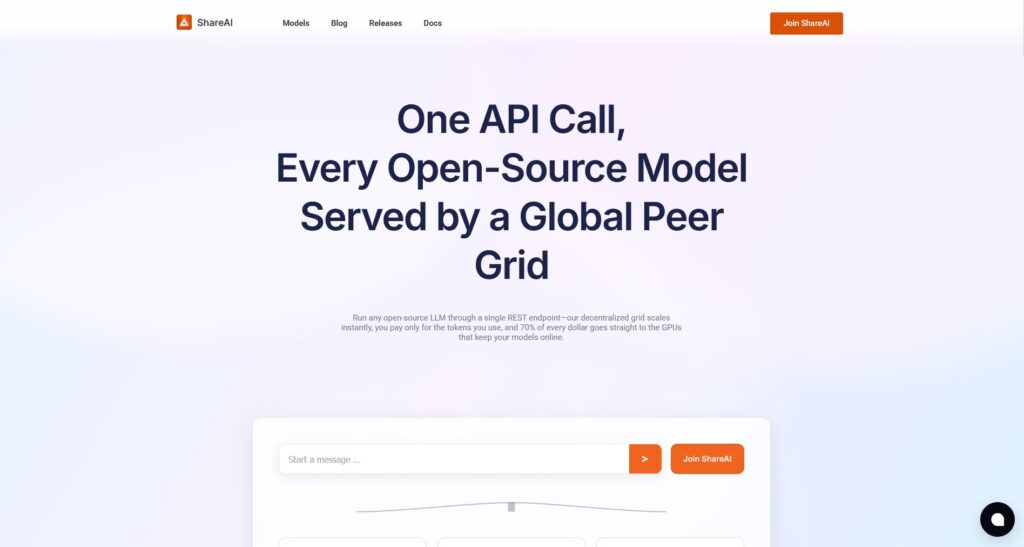
If you’ve bought a powerful GPU for gaming, AI, or mining, you’ve probably wondered how to monetize GPU when you’re not using it. Most of that time, your hardware is just burning electricity and depreciating. ShareAI lets you monetize idle GPU time by renting it out for AI inference workloads, so you get paid for the “dead time” your GPUs and servers would normally waste.
TL;DR: Why Monetizing GPU Dead Time with ShareAI Works
- Dead time ⇒ lost money. Consumer and datacenter GPUs often sit under-utilized, especially outside peak hours.
- ShareAI aggregates demand from startups that need on-demand inference and routes it to your hardware.
- You get paid per token served, without dealing with DevOps or renting whole machines to strangers.
How ShareAI Turns Idle GPUs into Income (No Server Management)
ShareAI operates a decentralized GPU grid that matches real-time inference jobs to available devices. You run a lightweight provider agent; the network handles model dispatch, routing, and failover. Instead of chasing gigs, you’re simply online when you want and earn whenever your GPU serves tokens.
Pay-per-token, not “rent-my-rig”
Traditional rentals lock your box for hours or days—great when it’s busy, awful when it’s idle. ShareAI flips this: you earn on usage, so the moment demand pauses, your cost exposure is zero. That means the “dead time” finally pays.
- For founders: you pay per token consumed (no 24/7 idling on expensive instances).
- For providers: you capture demand spikes from many buyers you’d never reach alone.
The Money Flow: Who Pays, Who Gets Paid
- A developer calls ShareAI for a model (e.g., a Llama family text model).
- The network routes the request to a compatible node (your GPU).
- Tokens stream back; payouts accrue to you based on tokens served.
- If your node goes offline mid-job, automatic failover keeps the user happy while your session simply ends—no manual babysitting.
Because ShareAI pools demand, your GPU can stay busy only when it makes sense—exactly when buyers need throughput and you’re available.
Step-by-Step: Monetize GPU in Minutes (Provider Path)
- Check hardware & VRAM
8–24 GB VRAM works for many text models; more VRAM unlocks larger models/vision tasks. Stable thermals and a reliable uplink help. - Create your account
Create or access your account - Install the provider agent
Follow the Provider Guide to install, register your device, and pass basic checks.
Docs: Provider Guide - Choose what you serve
Opt into queues that fit your VRAM (e.g., 7B/13B text models, lightweight vision). More availability windows = more earnings. - Go online and earn
When you’re not gaming or training locally, toggle your node online and let ShareAI route work automatically. - Track earnings and uptime
Use the Provider Dashboard (via Console) to monitor sessions, tokens, and payouts.
Console (keys, usage): Create API Key • User Guide: Console overview
Optimization Playbook for Providers
- Match VRAM to queues: Prioritize models that fit comfortably; avoid edge-case OOMs that cut sessions short.
- Plan availability windows: If you game nightly, set your node online during work hours or overnight—when demand spikes.
- Network stability matters: Wired or solid Wi-Fi keeps throughput steady and reduces failovers.
- Thermals & power: Keep temps in check; consistent clocks = consistent earning.
- Scale out: If you own multiple GPUs or a small server, onboard them incrementally to test thermals, noise, and net margins.
Step-by-Step: Founders Use ShareAI for Elastic, Low-Cost Inference (Buyer Path)
- Create an API key in Console: Create API Key
- Pick a model from the marketplace (150+ options): Browse Models
- Route by latency/price/region via request preferences; ShareAI handles failover and multi-node scaling.
- Stop paying for idle time: usage-based economics replace 24/7 GPU leases.
- Test prompts quickly in the Chat Playground: Open Playground
Bonus: If you already run training elsewhere, keep it there. Use ShareAI only for inference, turning a fixed cost into a pure variable one.
Architecture Patterns We Recommend
- Hybrid training/inference: Keep training on your preferred cloud/on-prem; offload inference to ShareAI to absorb volatile user traffic.
- Burst mode: Keep your core serving minimal; burst overflow to ShareAI during launches and marketing spikes.
- A/B or “model roulette”: Route a slice of traffic across multiple open models to optimize cost/quality without spinning up new fleets.
Case Study (Provider): From Evening Gamer → Paid “Dead Time”
Profile:
• 1× RTX 3080 (10 GB VRAM) in a home PC.
• Owner games 19:00–22:00 and is offline some weekends.
Setup:
• Provider agent installed; node set online 08:00–18:00 and 22:30–01:00 (weekday windows).
• Subscribed to 7B/13B text queues; occasional vision jobs that fit.
Outcome (illustrative):
• The node served steady weekday daytime demand plus late-night bursts.
• Earnings track tokens served, not clock hours, so short, hot periods count more than long idle periods.
• After month 1, the provider adjusted windows to overlap with the network’s peak demand and increased their effective hourly revenue.
What changed:
• The GPU’s dead time became paid time.
• Electricity usage rose modestly during on-windows, but net was positive because utilized compute pays while idle doesn’t.
Case Study (Founder): Inference Bill Cut by Aligning Costs to Usage
Before:
• 2× A100 instances parked 24/7 to avoid cold starts for a generative feature.
• Average utilization <40%; bill didn’t care—instances ran anyway.
After (ShareAI):
• Switched to pay-per-token inference via ShareAI.
• Kept a small internal endpoint for batch jobs; spiky, interactive requests went to the grid.
• Built-in failover and multi-node routing maintained SLA.
Result:
• Monthly inference cost tracked usage, not time, improving gross margins and freeing the team from constant GPU capacity planning.
Economics Deep Dive: When Monetizing Beats DIY Hosting
Why small apps get crushed by underutilization
Running your own GPU for a light workload often means paying for idle hours. Large API providers win via massive batching; ShareAI gives smaller apps similar efficiency by pooling many buyers’ traffic on shared nodes.
Break-even intuition (illustrative)
- Light load: You’ll typically save with pay-per-token vs. renting a full GPU 24/7.
- Medium load: Mix and match—pin a small baseline, burst the rest.
- Heavy load: Dedicated capacity can make sense; many teams still keep ShareAI for overflow or regional coverage.
Sensitivities that matter
- VRAM tiers: Bigger VRAM unlocks bigger models (higher token-throughput jobs).
- Bandwidth & locality: Close to demand = lower latency, more volume for your node.
- Model choice: Smaller, efficient models (quantized/optimized) often yield more tokens per watt—good for both sides.
Trust, Quality, and Control
- Isolation: Jobs are dispatched through the ShareAI runtime; model weights and data handling follow the network’s isolation controls.
- Failover by design: If a provider drops mid-stream, another node completes the work—founders don’t chase incidents, providers aren’t penalized for normal life events.
- Transparent reporting: Providers see sessions, tokens, earnings; founders see requests, tokens, spend.
- Updates: New/optimized model variants appear in the marketplace without you rebuilding your fleet.
Provider Onboarding Checklist
- GPU & VRAM meet queue requirements (e.g., ≥8 GB for many 7B models).
- Stable drivers + recent CUDA stack (per provider guide).
- Agent installed and device verified.
- Uplink is stable (wired preferred) and ports available.
- Thermals/power checked for sustained sessions.
- Availability windows set to overlap with likely demand.
- Payout details configured in Console.
Founder Integration Checklist
- API key created and scoped: Create API Key
- Model selected with acceptable latency/price: Browse Models
- Routing preferences set (region, price ceiling, fallback).
- Cost guardrails (daily/monthly caps) monitored in Console.
- Playground smoke-tests for prompts: Open Playground
- Observability wired for requests/tokens/spend in your stack.
FAQs
Can I game and provide at the same time?
You can, but we recommend toggling your node offline during intensive local use to avoid contention and throttling.
What if my machine goes offline mid-job?
The network fails over to another node; you simply stop earning for that session.
Do I need enterprise-grade networking?
No. A stable consumer connection works. Lower jitter and higher uplink help latency-sensitive queues.
Which models fit in 8/12/16/24 GB VRAM?
As a rule of thumb: 7B text models in 8–12 GB, 13B often prefers ≥16 GB, and larger/vision models benefit from 24 GB+.
How and when are payouts scheduled?
Payouts are based on tokens served. Set up your payout details in Console; see the Provider Guide for cadence specifics.
Conclusion: People-Powered AI Infra — Stop Wasting Dead Time, Start Earning
Monetizing GPU dead time used to be hard—either you rented a whole rig or built a mini-cloud. ShareAI makes it push-button simple: run the agent when you’re free, earn on actual usage, and let global demand find you. For founders, it’s the same story in reverse: only pay when users generate tokens, not for silent GPUs waiting around.
- Providers: Turn idle hours into income — start with the Provider Guide.
- Founders: Ship elastic inference fast — start in the Playground, then wire the API.