

A practical, builder-first guide to choosing the best free text generation models—with clear trade-offs, quick picks by scenario, and one-click ways to try them in the ShareAI Playground.
TL;DR
If you want the best open source text generation models right now, start with compact, instruction-tuned releases for fast iteration and low cost, then scale up only when needed. For most teams:
- Fast prototyping (laptop/CPU-friendly): try lightweight 1–7B instruction-tuned models; quantize to INT4/INT8.
- Production-grade quality (balanced cost/latency): modern 7–14B chat models with long context and efficient KV cache.
- Throughput at scale: mixture-of-experts (MoE) or high-efficiency dense models behind a hosted endpoint.
- Multilingual: choose families with strong non-English pretraining and instruction mixes.
👉 Explore 150+ models on the Model Marketplace (filters for price, latency, and provider type): Browse Models
Or jump straight into the Playground with no infra: Try in Playground
Evaluation Criteria (How We Chose)
Model quality signals
We look for strong instruction-following, coherent long-form generation, and competitive benchmark indicators (reasoning, coding, summarization). Human evals and real prompts matter more than leaderboard snapshots.
License clarity
“Open source” ≠ “open weights.” We prefer OSI-style permissive licenses for commercial deployment, and we clearly note when a model is open-weights only or has usage restrictions.
Hardware needs
VRAM/CPU budgets determine what “free” really costs. We consider quantization availability (INT8/INT4), context window size, and KV-cache efficiency.
Ecosystem maturity
Tooling (generation servers, tokenizers, adapters), LoRA/QLoRA support, prompt templates, and active maintenance all impact your time-to-value.
Production readiness
Low tail latency, good safety defaults, observability (token/latency metrics), and consistent behavior under load make or break launches.
Top Open Source Text Generation Models (Free to Use)
Each pick below includes strengths, ideal use-cases, context notes, and practical tips to run it locally or via ShareAI.
Llama family (open variants)
Why it’s here: Widely adopted, strong chat behavior in small-to-mid parameter ranges, robust instruction-tuned checkpoints, and a large ecosystem of adapters and tools.
Best for: General chat, summarization, classification, tool-aware prompting (structured outputs).
Context & hardware: Many variants support extended context (≥8k). INT4 quantizations run on common consumer GPUs and even modern CPUs for dev/testing.
Try it: Filter Llama-family models on the Model Marketplace or open in the Playground.
Mistral / Mixtral series
Why it’s here: Efficient architectures with strong instruction-tuned chat variants; MoE (e.g., Mixtral-style) provides excellent quality/latency trade-offs.
Best for: Fast, high-quality chat; multi-turn assistance; cost-effective scaling.
Context & hardware: Friendly to quantization; MoE variants shine when served properly (router + batching).
Try it: Compare providers and latency on Browse Models.
Qwen family
Why it’s here: Strong multilingual coverage and instruction-following; frequent community updates; competitive coding/chat performance in compact sizes.
Best for: Multilingual chat and content generation; structured, instruction-heavy prompts.
Context & hardware: Good small-model options for CPU/GPU; long context variants available.
Try it: Launch quickly in the Playground.
Gemma family (permissive OSS variants)
Why it’s here: Clean instruction-tuned behavior in small footprints; friendly to on-device pilots; strong documentation and prompt templates.
Best for: Lightweight assistants, product micro-flows (autocomplete, inline help), summarization.
Context & hardware: INT4/INT8 quantization recommended for laptops; watch token limits for longer tasks.
Try it: See which providers host Gemma variants on Browse Models.
Phi family (lightweight/budget)
Why it’s here: Exceptionally small models that punch above their size on everyday tasks; ideal when cost and latency dominate.
Best for: Edge devices, CPU-only servers, or batch offline generation.
Context & hardware: Loves quantization; great for CI tests and smoke checks before you scale.
Try it: Run quick comparisons in the Playground.
Other notable compact picks
- Instruction-tuned 3–7B chat models optimized for low-RAM servers.
- Long-context derivatives (≥32k) for document QA and meeting notes.
- Coding-leaning small models for inline dev assistance when heavyweight code LLMs are overkill.
Tip: For laptop/CPU runs, start with INT4; step up to INT8/BF16 only if quality regresses for your prompts.
Best “Free Tier” Hosted Options (When You Don’t Want to Self-Host)
Free-tier endpoints are great to validate prompts and UX, but rate limits and fair-use policies kick in fast. Consider:
- Community/Provider endpoints: bursty capacity, variable rate limits, and occasional cold starts.
- Trade-offs vs local: hosted wins on simplicity and scale; local wins on privacy, deterministic latency (once warmed), and zero marginal API costs.
How ShareAI helps: Route to multiple providers with a single key, compare latency and pricing, and switch models without re-writing your app.
- Create your key in two clicks: Create API Key
- Follow the API quickstart: API Reference
Quick Comparison Table
| Model family | License style | Params (typical) | Context window | Inference style | Typical VRAM (INT4→BF16) | Strengths | Ideal tasks |
|---|---|---|---|---|---|---|---|
| Llama-family | Open weights / permissive variants | 7–13B | 8k–32k | GPU/CPU | ~6–26GB | General chat, instruction | Assistants, summaries |
| Mistral/Mixtral | Open weights / permissive variants | 7B / MoE | 8k–32k | GPU (CPU dev) | ~6–30GB* | Quality/latency balance | Product assistants |
| Qwen | Permissive OSS | 7–14B | 8k–32k | GPU/CPU | ~6–28GB | Multilingual, instruction | Global content |
| Gemma | Permissive OSS | 2–9B | 4k–8k+ | GPU/CPU | ~3–18GB | Small, clean chat | On-device pilots |
| Phi | Permissive OSS | 2–4B | 4k–8k | CPU/GPU | ~2–10GB | Tiny & efficient | Edge, batch jobs |
How to Choose the Right Model (3 Scenarios)
1) Startup shipping an MVP on a budget
- Begin with small instruction-tuned (3–7B); quantize and measure UX latency.
- Use the Playground to tune prompts, then wire the same template in code.
- Add a fallback (slightly bigger model or provider route) for reliability.
- Prototype in the Playground
- Generate an API key: Create API Key
- Drop-in via the API Reference
2) Product team adding summarization & chat to an existing app
- Prefer 7–14B models with longer context; pin on stable provider SKUs.
- Add observability (token counts, p95 latency, error rates).
- Cache frequent prompts; keep system prompts short; stream tokens.
- Model candidates & latency: Browse Models
- Roll-out steps: User Guide
3) Developers needing on-device or edge inference
- Start with Phi/Gemma/compact Qwen, quantized to INT4.
- Limit context size; compose tasks (rerank → generate) to reduce tokens.
- Keep a ShareAI provider endpoint as a catch-all for heavy prompts.
- Docs home: Documentation
- Provider ecosystem: Provider Guide
Practical Evaluation Recipe (Copy/Paste)
Prompt templates (chat vs. completion)
# Chat (system + user + assistant)
System: You are a helpful, concise assistant. Use markdown when helpful.
User: <task description and constraints>
Assistant: <model response>

# Completion (single-shot)
You are given a task: <task>.
Write a clear, direct answer in under <N> words.
Tips: Keep system prompts short and explicit. Prefer structured outputs (JSON or bullet lists) when you’ll parse results.
Small golden set + acceptance thresholds
- Build a 10–50 item prompt set with expected answers.
- Define pass/fail rules (regex, keyword coverage, or judge prompts).
- Track win-rate and latency across candidate models.
Guardrails & safety checks (PII/red flags)
- Blocklist obvious slurs and PII regexes (emails, SSNs, credit cards).
- Add refusal policies in the system prompt for risky tasks.
- Route unsafe inputs to a stricter model or a human review path.
Observability
- Log prompt, model, tokens in/out, duration, provider.
- Alert on p95 latency and unusual token spikes.
- Keep a replay notebook to compare model changes over time.
Deploy & Optimize (Local, Cloud, Hybrid)
Local quickstart (CPU/GPU, quantization notes)
- Quantize to INT4 for laptops; verify quality and step up if needed.
- Stream outputs to maintain UX snappiness.
- Cap context length; prefer rerank+generate over huge prompts.
Cloud inference servers (OpenAI-compatible routers)
- Use an OpenAI-compatible SDK and set the base URL to a ShareAI provider endpoint.
- Batch small requests where it doesn’t harm UX.
- Warm pools and short timeouts keep tail latency low.
Fine-tuning & adapters (LoRA/QLoRA)
- Choose adapters for small data (<10k samples) and quick iterations.
- Focus on format-fidelity (matching your domain tone and schema).
- Eval against your golden set before shipping.
Cost-control tactics
- Cache frequent prompts & contexts.
- Trim system prompts; collapse few-shot examples into distilled guidelines.
- Prefer compact models when quality is “good enough”; reserve bigger models for tough prompts only.
Why Teams Use ShareAI for Open Models
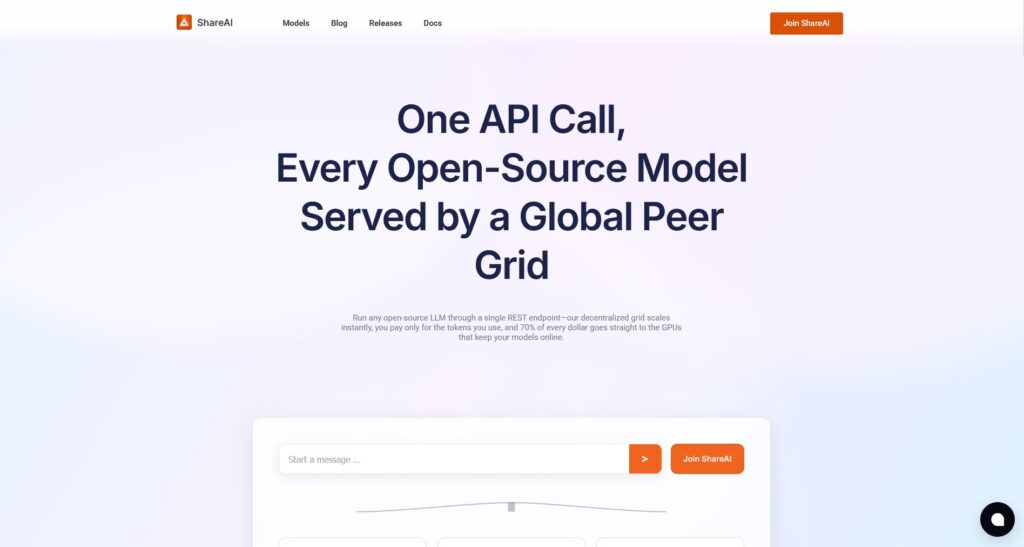
150+ models, one key
Discover and compare open and hosted models in one place, then switch without code rewrites. Explore AI Models
Playground for instant try-outs
Validate prompts and UX flows in minutes—no infra, no setup. Open Playground
Unified Docs & SDKs
Drop-in, OpenAI-compatible. Start here: Getting Started with the API
Provider ecosystem (choice + pricing control)
Pick providers by price, region, and performance; keep your integration stable. Provider Overview · Provider Guide
Releases feed
Track new drops and updates across the ecosystem. See Releases
Frictionless Auth
Sign in or create an account (auto-detects existing users): Sign in / Sign up
FAQs — ShareAI Answers That Shine
Which free open source text generation model is best for my use-case?
Docs/chat for SaaS: start with a 7–14B instruction-tuned model; test long-context variants if you process large pages. Edge/on-device: pick 2–7B compact models; quantize to INT4. Multilingual: pick families known for non-English strength. Try each in minutes in the Playground, then lock a provider in Browse Models.
Can I run these models on my laptop without a GPU?
Yes, with INT4/INT8 quantization and compact models. Keep prompts short, stream tokens, and cap context size. If something is too heavy, route that request to a hosted model via your same ShareAI integration.
How do I compare models fairly?
Build a small golden set, define pass/fail criteria, and record token/latency metrics. The ShareAI Playground lets you standardize prompts and quickly swap models; the API makes it easy to A/B across providers with the same code.
What’s the cheapest way to get production-grade inference?
Use efficient 7–14B models for 80% of traffic, cache frequent prompts, and reserve larger or MoE models for tough prompts only. With ShareAI’s provider routing, you keep one integration and choose the most cost-effective endpoint per workload.
Is “open weights” the same as “open source”?
No. Open weights often come with usage restrictions. Always check the model license before shipping. ShareAI helps by labeling models and linking to license info on the model page so you can pick confidently.
How do I fine-tune or adapt a model quickly?
Start with LoRA/QLoRA adapters on small data and validate against your golden set. Many providers on ShareAI support adapter-based workflows so you can iterate fast without managing full fine-tunes.
Can I mix open models with closed ones behind a single API?
Yes. Keep your code stable with an OpenAI-compatible interface and switch models/providers behind the scenes using ShareAI. This lets you balance cost, latency, and quality per endpoint.
How does ShareAI help with compliance and safety?
Use system-prompt policies, input filters (PII/red-flags), and route risky prompts to stricter models. ShareAI’s Docs cover best practices and patterns to keep logs, metrics, and fallbacks auditable for compliance reviews. Read more in the Documentation.
Conclusion
The best free text generation models give you rapid iteration and strong baselines without locking you into heavyweight deployments. Start compact, measure, and scale the model (or provider) only when your metrics demand it. With ShareAI, you can try multiple open models, compare latency and cost across providers, and ship with a single, stable API.
- Explore the Model Marketplace: Browse Models
- Try prompts in the Playground: Open Playground
- Create your API key and build: Create API Key

 English
  简体中文
简体中文  हिन्दी
  Español
  العربية
  Français
  বাংলা
বাংলা  Português
  Русский
  Română
  Bahasa Indonesia
  اردو
اردو  Deutsch
  日本語
日本語  मराठी
मराठी  Tiếng Việt
  తెలుగు
  Hausa
Hausa  Türkçe
  Kiswahili
  Tagalog
  தமிழ்
தமிழ்  Cantonese
  فارسی
فارسی  한국어
한국어  ไทย
ไทย  Basa Jawa